

Real-Time Telegram & Incident Alerts
Receive instant smartphone push notifications in real time for any 1–3★ private feedback or urgent customer callback request.
1Instant Incident Response Architecture
The secret to service recovery is speed. If a customer has an unsatisfactory experience at your restaurant or retail store, resolving the issue before they leave the parking lot turns a dissatisfied customer into a loyal advocate.
Instant Webhook Delivery
Direct Telegram bot webhooks bypass noisy email spam filters and deliver instant smartphone alerts.
Callback Highlighting
Special visual priority flags when a customer specifically checks the "Please call me back" option.
Branch Group Routing
Route Downtown alerts to the Downtown staff channel, and Westside alerts to the Westside team channel.
2Connecting Telegram Alerts
Configure push alerts for your branch in less than 60 seconds directly from the Telegram Alerts tab in your merchant dashboard.
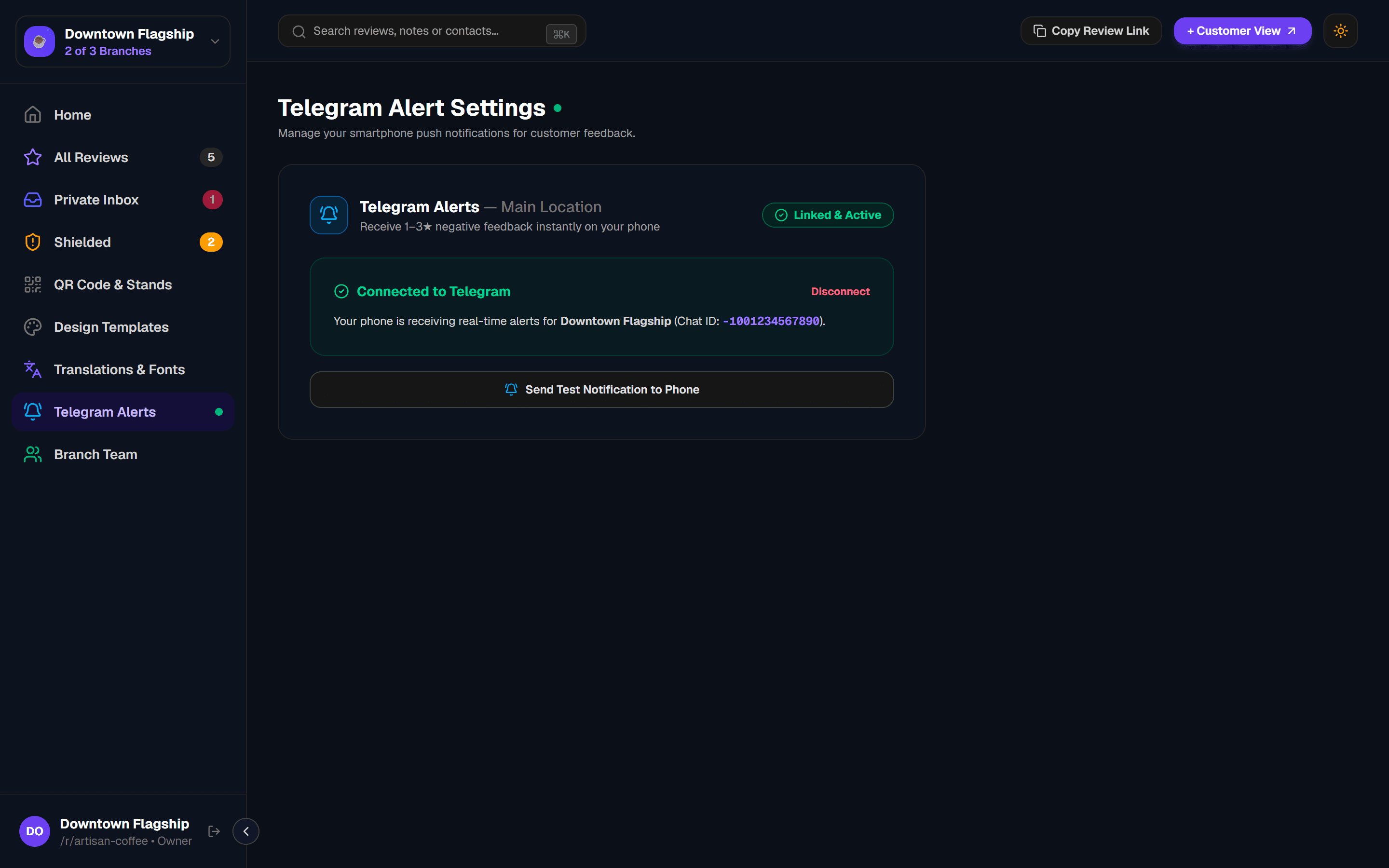
Open Dashboard > Telegram Alerts
In your merchant dashboard, select your active branch location and click "Connect Telegram in 1-Click".
Start Chat with @GetReview_Notify_Bot
Telegram opens automatically with @GetReview_Notify_Bot. Simply tap "Start" in Telegram to pair your chat in seconds.
Send Test Notification to Confirm
Return to your GetReview dashboard and click "Send Test Notification" to verify live phone push delivery.
3Alert Message Format
When a customer submits private private feedback, your connected Telegram channel receives a structured alert formatted for instant readability on mobile lock screens:
🚨 DIRECT CUSTOMER FEEDBACK
📍 Branch: Downtown Flagship
⭐ Rating: 2.0 / 5.0 (Low rating)
👤 Customer: Alex Morgan
📱 Contact: +1 (555) 234-5678
📞 Callback: YES — Requested by customer
💬 Note: "The wait time was too long and my order came out cold. Would like a callback."
4Testing Your Alert Pipeline
Always verify that your staff receives alerts before deploying hardware stands. Click the "Send Test Notification to Phone" button on your dashboard to trigger a simulated incident payload.
Verify Sound & Vibration Settings
5Multi-Branch Alert Channels
If you operate multiple locations, connect a separate Telegram group for each branch to prevent noise and ensure local duty managers handle local incidents:
| Branch Location | Telegram Channel Name | Assigned Recipients |
|---|---|---|
| Downtown Flagship | #downtown-duty-alerts | Downtown shift supervisors & baristas |
| Westside Mall | #westside-store-alerts | Westside floor managers |
| Airport Terminal | #airport-kiosk-alerts | Airport operations manager |
6Telegram Alerts FAQs
Next Guide